Plugin Details
Home / Plug-in market / 批量更新库存

批量更新库存
Bulk Inventory Update is a BeikeShop plugin. allows automatic bulk inventory updates based on predefined thresholds. When stock is low, it can be updated automatically, improving inventory management. It helps merchants manage product data
View more
33 Downloads
3714 Views
2026-08-20 Last Update
$2.49
One-time purchase for lifetime use, with 1 months of technical support included

Plugin Purchase Process
1
Access your BeikeShop admin dashboard
2
Click on "Plugin Marketing" in the top right corner
3
Select the desired plugin for purchase
4
Click on Purchase
Plugin Description
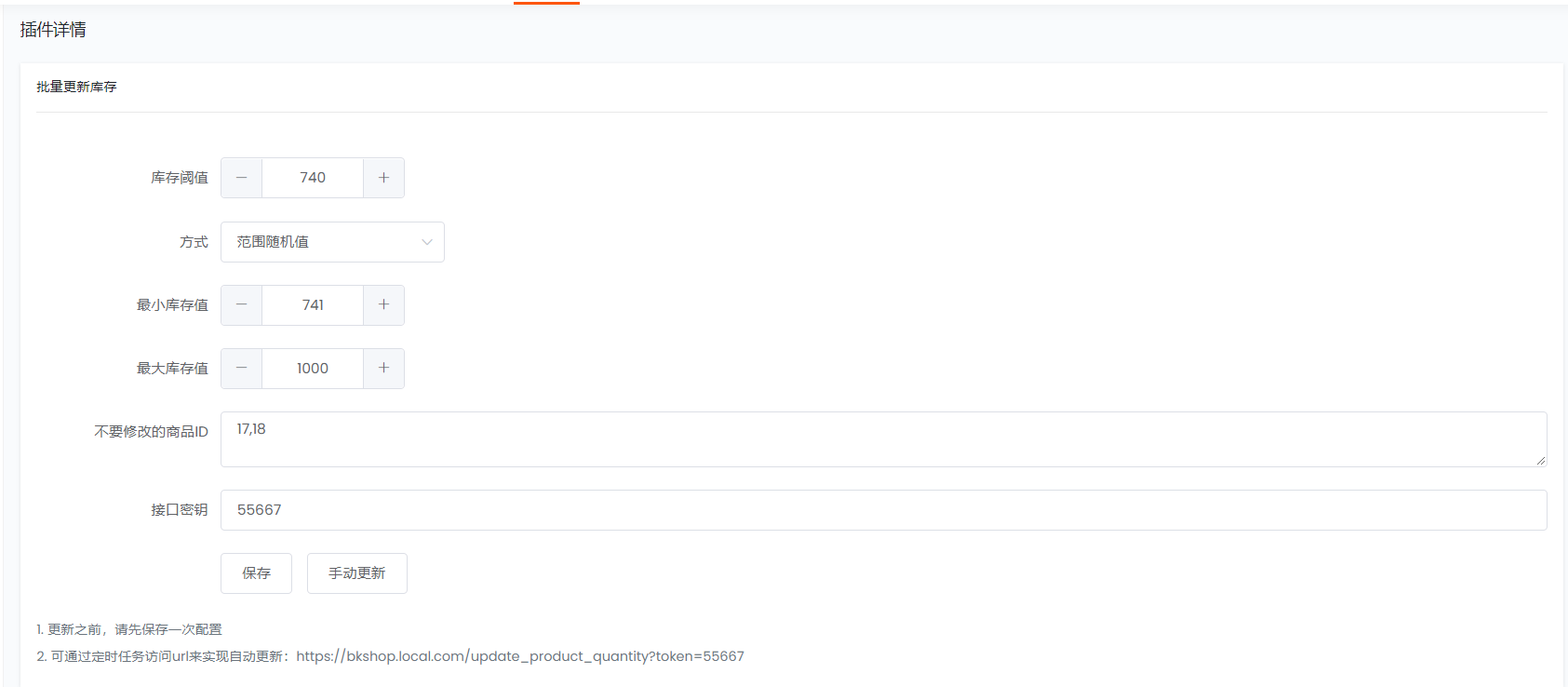
当库存不够时,插件可以自动按照设定的库存阈值进行库存批量更新。结合服务器的定时任务可实现自动批量更新
后台配置界面:
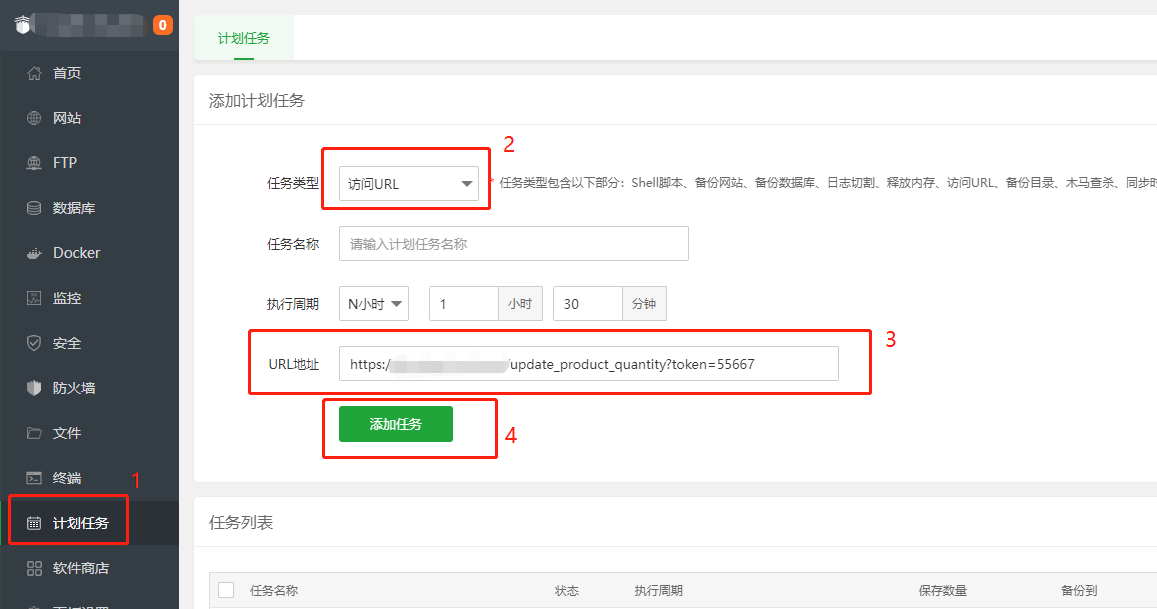
定时任务配置(宝塔面板为例):