


Plugin Details
Home / Plug-in market / Coupon Ticket

Coupon Ticket
156 Downloads
6409 Views
2026-09-11 Last Update
$20.44
One-time purchase for lifetime use, with 1 months of technical support included

Plugin Purchase Process
1
Access your BeikeShop admin dashboard
2
Click on "Plugin Marketing" in the top right corner
3
Select the desired plugin for purchase
4
Click on Purchase
Plugin Description
- Diverse denomination types and international compatibilitySupports dual modes of vouchers and discount coupons, suitable for global business scenarios. Domestic discount coupons are presented in percentage form, while foreign discount coupons are automatically converted to the internationally recognized "X% off" format (for example, 30% off is displayed as 30% off), precisely reaching users both at home and abroad.
- Full-chain distribution strategyOffer diverse distribution channels, receive gifts upon registration to attract new customers, and the back-end administrator can flexibly control batch operations. The self-service collection on the product detail page stimulates users\' active participation, fully meeting different operational needs.
- Intelligent quota controlIt supports setting the total amount of coupons issued and simultaneously limiting the number of coupons each user can claim, effectively avoiding the abuse of resources, precisely regulating marketing costs, and enhancing the ROI of activities.
- Flexible time limit settingIt can be customized with a fixed validity period or set to be valid within X days after collection, suitable for various marketing scenarios. The automatic expiration mechanism ensures the orderly conduct of the event and enhances users\' sense of urgency.
- Precise product matchingIt supports three modes: universal use for all products, targeted use for some products, and prohibition for some products. By integrating product features with marketing goals, it achieves refined operation and enhances the coupon redemption rate.
- Full-process data trackingReal-time monitoring of coupon distribution, collection, usage and redemption data, generation of visual reports, in-depth analysis of user behavior and activity effects, providing solid data support for subsequent marketing strategy optimization.
Background interface
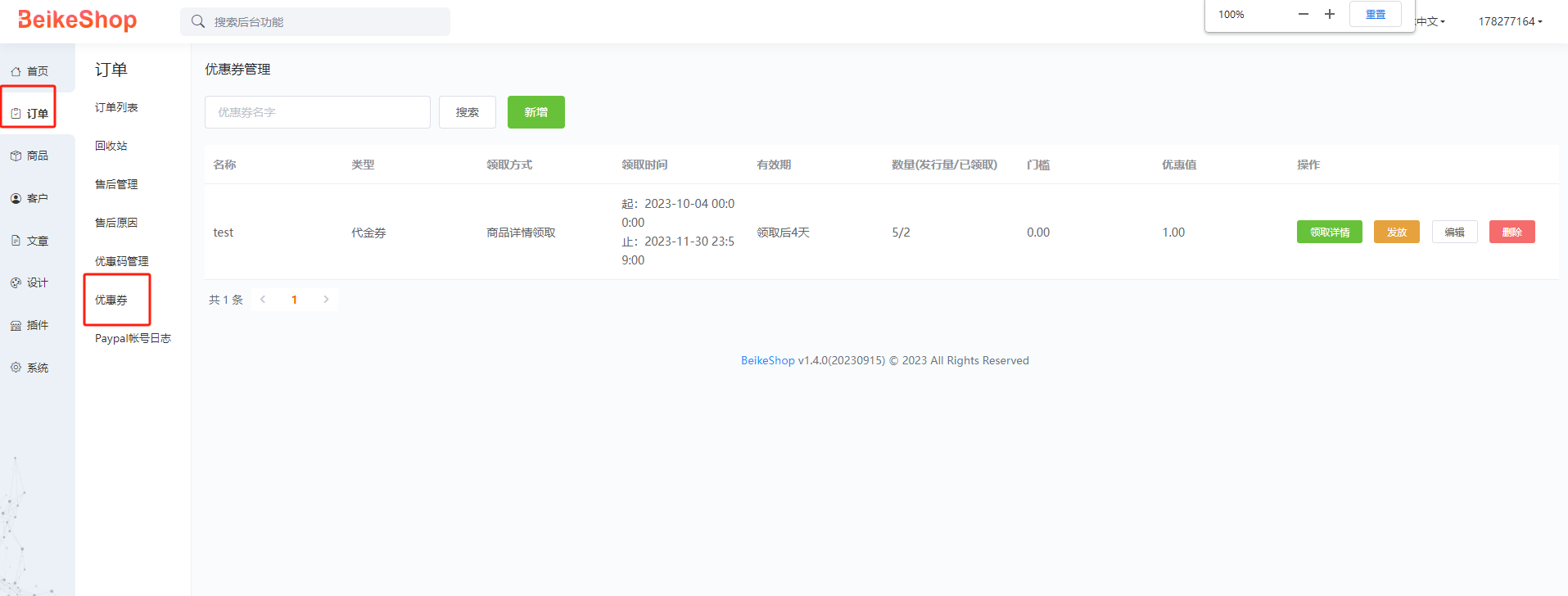
List of coupon templates
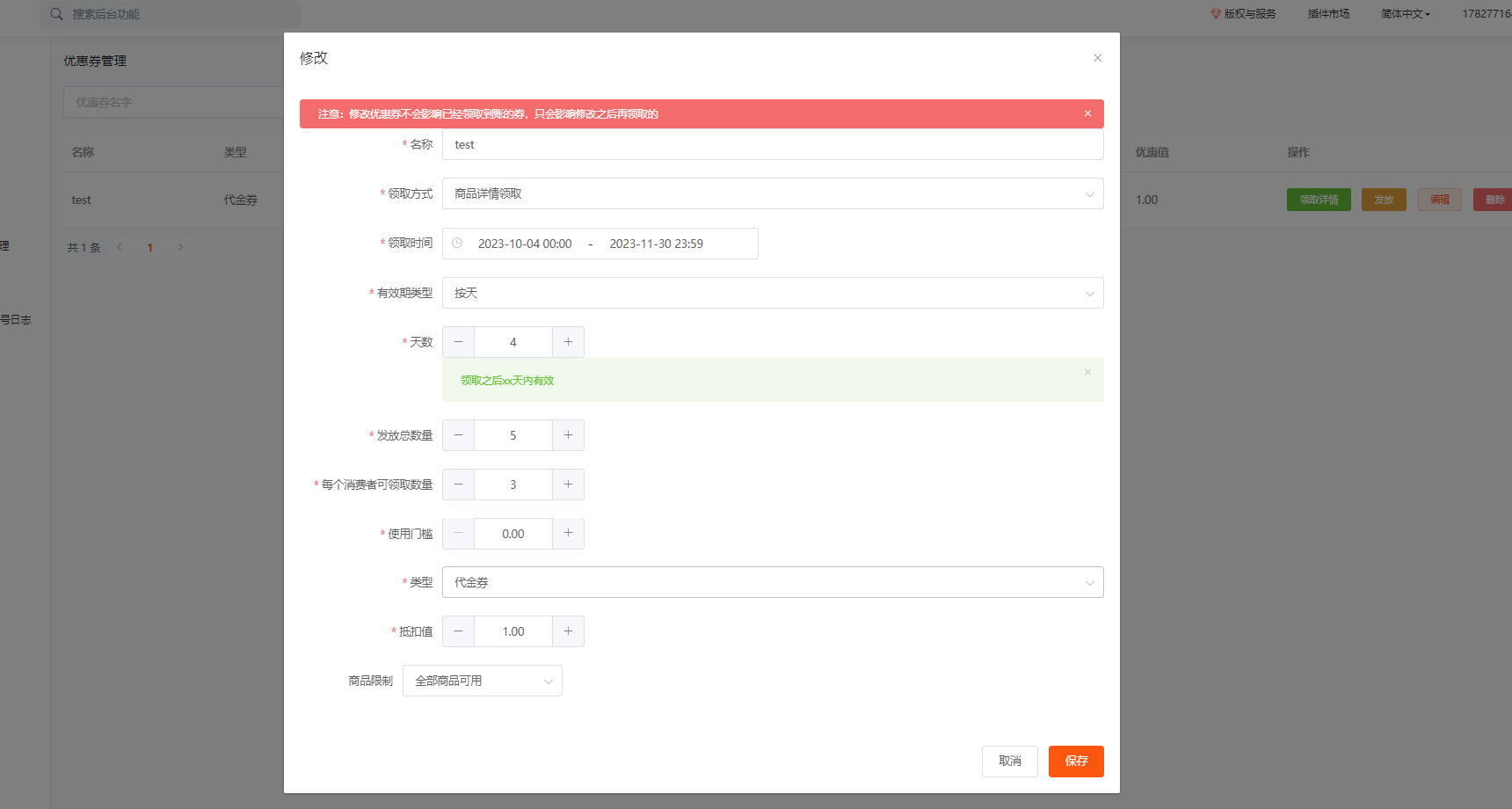
Add or modify
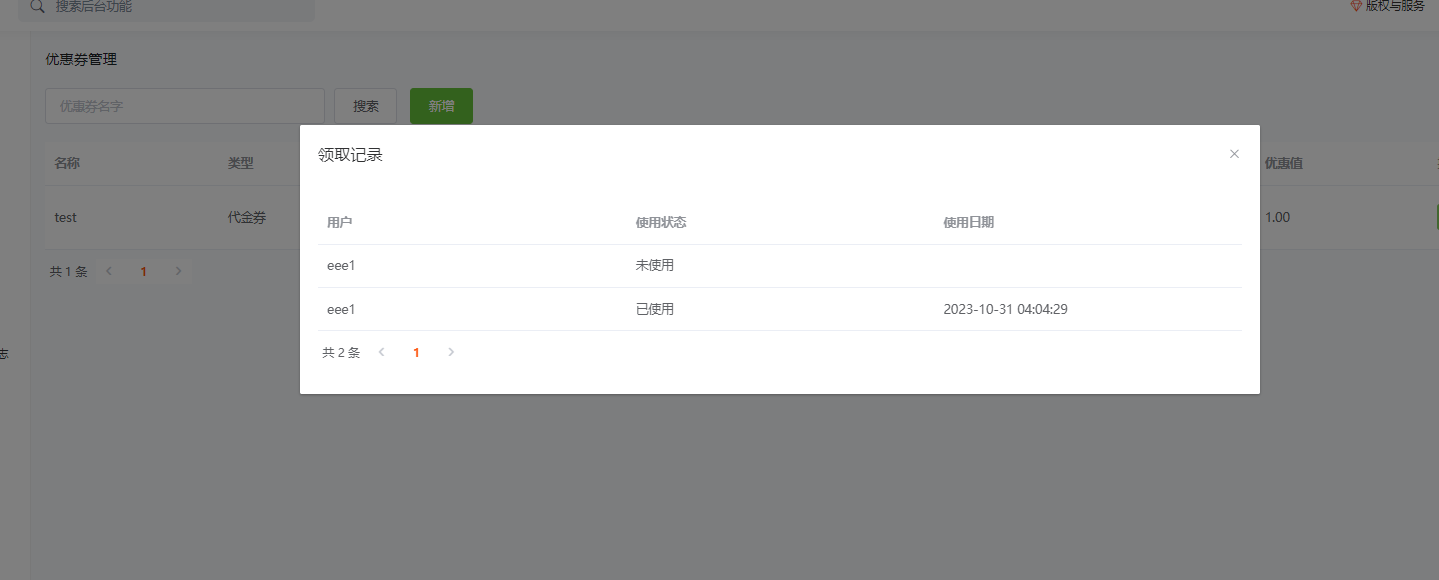
Collection and usage status
Front desk interface
Product details

Settlement (Users will be guided to log in/register when not logged in)


User Center

The quick access menu has also been added to the personal center in the upper right corner. (If it is not displayed, the corresponding code needs to be added@hook(\'header.menu.icon.dropdown.menu.order.after\'))

Code addition location: (If you don\'t know how to add it, you can ask me for help.

