Plugin Details
Home / Plug-in market / Shopify Migration


Shopify Migration

Shopify Data Migration (Shopify Migration
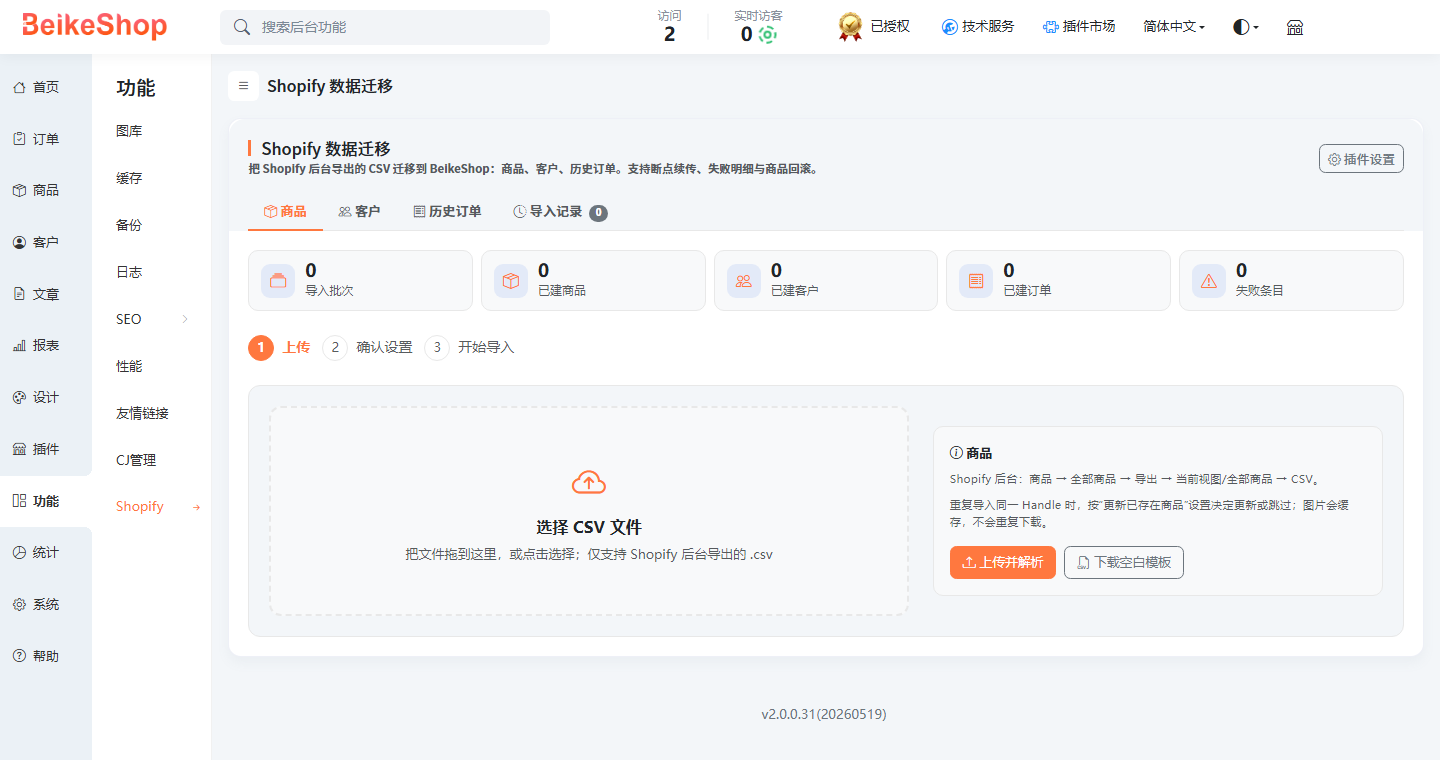
Migrate the CSV exported from the Shopify backend to BeikeShop: ** Products, Customers, Historical Orders **.
Supports multiple specifications, product images, categories, brands, SEO, resume from breakpoints, failure details, and product batch rollback.
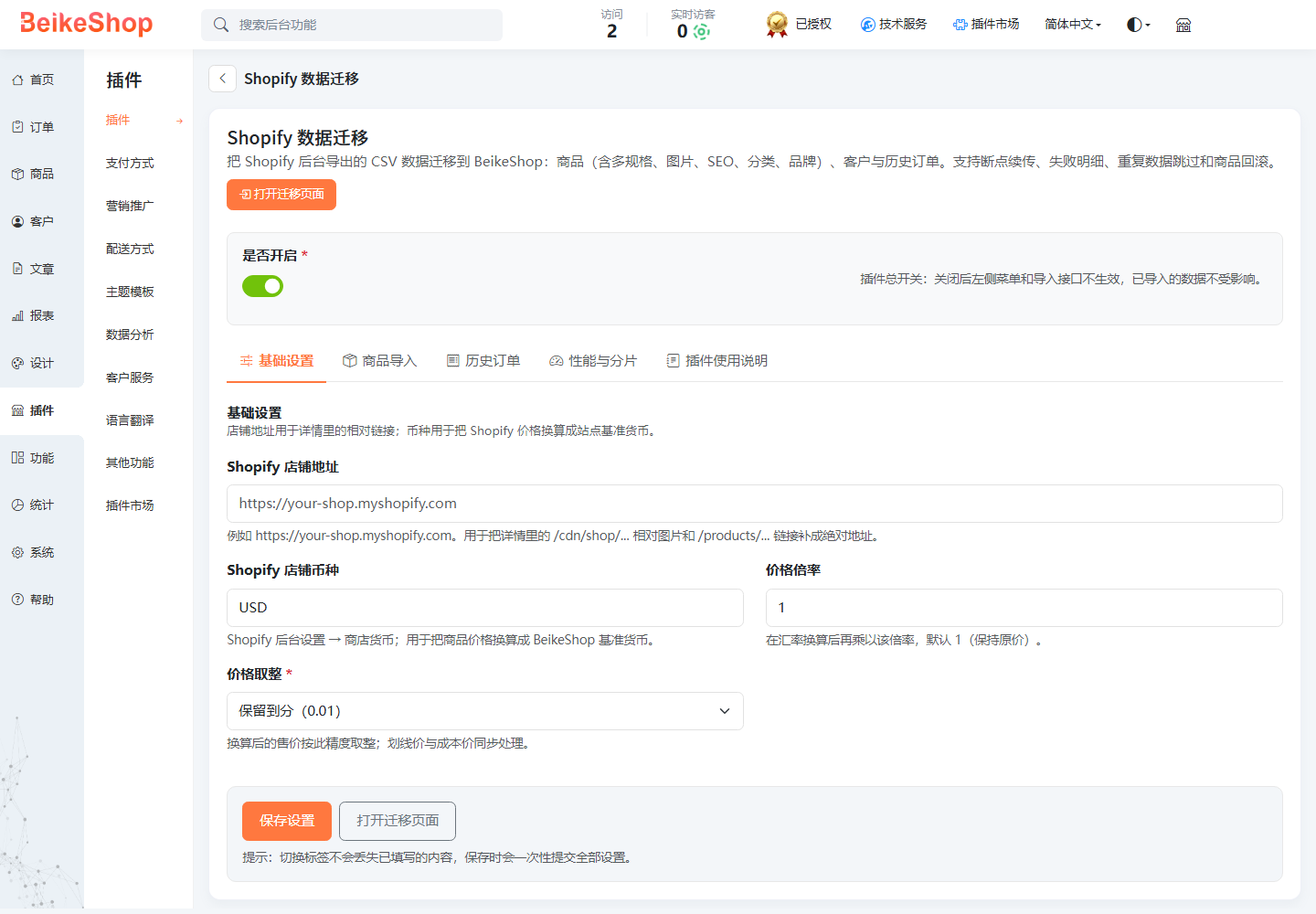
1. Data Migration Homepage
- Plugin Settings page It includes five Settings tabs, a "Plugin Usage Instructions" TAB on the right, and a save area at the bottom.
Start in four steps
- Export CSV from Shopify
- ** Products ** : Products → All Products → Export → CSV
- ** Customer ** : Customer → Export → All Customers → CSV
- ** Order ** : Order → Export → All Orders → CSV (Check "Export as a single CSV")
- Upload files
In the background, open ** Function → Shopify Migration ** (or '/admin/shopify_migrate'), and upload CSV files respectively under the tags of "Goods/Customers/Historical Orders".
After uploading, the number of data lines, the number of objects that can be imported, and the preview of the first three lines will be displayed.
- Confirm the Settings and start
The first time, you can directly use the default Settings:
- Category source: Type (Recommended)
- Image download: ** Keep open **
- Product status: ** Follow Shopify**
- Order status: ** Automatically determined **
After clicking "Start Import", the page will be split and the progress will be displayed. You can pause at any time and then resume.
- Inspection Results
- Import completed to check the product/customer/order list Failed entries can be viewed in "Import Records → Errors" The product batch can be rolled back with one click