Plugin Details
Home / Plug-in market / 个性化订单号

个性化订单号
Personalized Order Number is a BeikeShop plugin. allows setting order number prefixes and suffixes to help merchants distinguish orders from different channels, enhancing brand image. It supports flexible. It helps merchants manage orders
View more
15 Downloads
4249 Views
2026-08-20 Last Update
$0.72
One-time purchase for lifetime use, with 1 months of technical support included

Plugin Purchase Process
1
Access your BeikeShop admin dashboard
2
Click on "Plugin Marketing" in the top right corner
3
Select the desired plugin for purchase
4
Click on Purchase
Plugin Description
个性化订单号前缀/后缀,便于区分不同渠道订单,同时提升品牌形象
效果图:
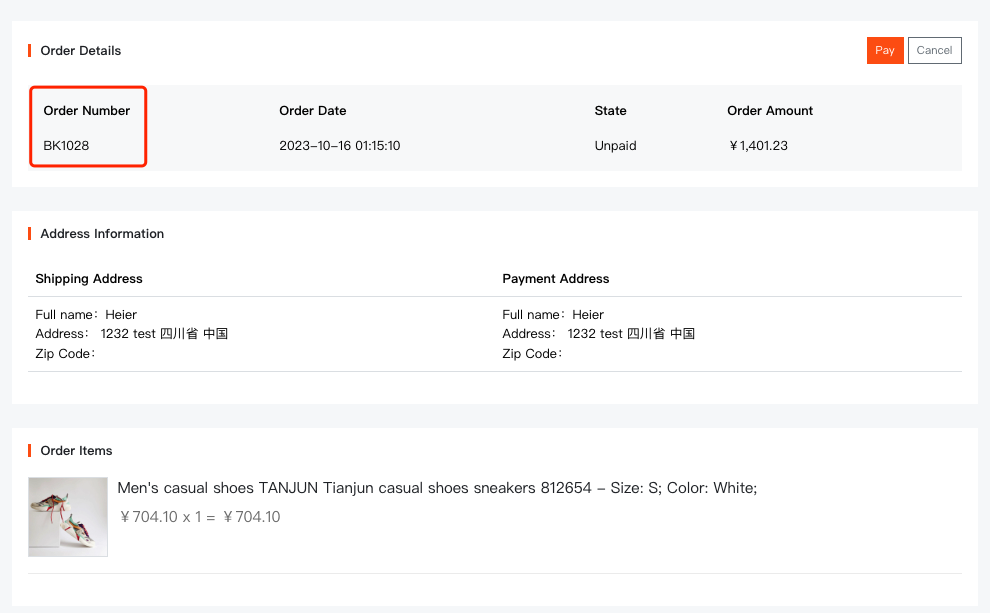
插件设置页:
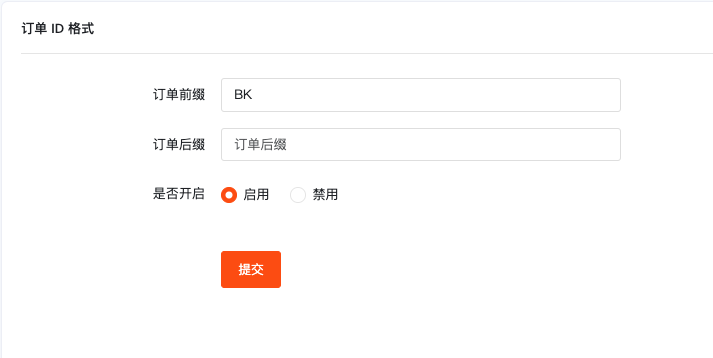
支持分别设置订单前缀和后缀
单独设置前缀后,订单号将显示为 BK1001, BK1002, BK1003 ...
单独设置后缀后,订单号将显示为 1001BK, 1002BK, 1003BK ...
同时设置前缀和后缀后,订单号将显示为 BK1001SHOP, BK1002SHOp, BK1003SHOP ...