


Plugin Details
Home / Plug-in market / Offline Payment

Offline Payment
Offline Payment is a BeikeShop plugin. Offline payment method. It helps merchants manage payment and collection features more efficiently.
View more
583 Downloads
19092 Views
2026-10-15 Last Update
$4.40
One-time purchase for lifetime use, with 1 months of technical support included

Plugin Purchase Process
1
Access your BeikeShop admin dashboard
2
Click on "Plugin Marketing" in the top right corner
3
Select the desired plugin for purchase
4
Click on Purchase
Plugin Description
Plugin Editing Page:
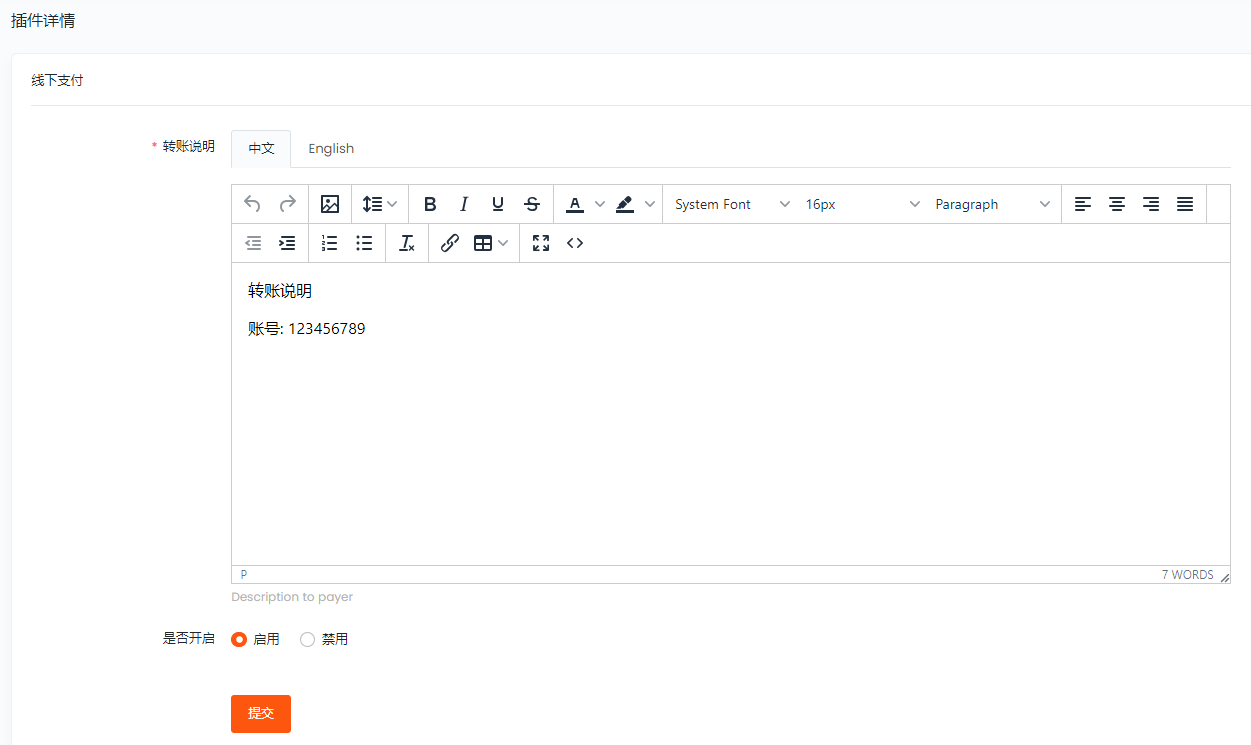
Plugin Editing Page: After successful configuration, the payment process is as follows:
1. Select the "Offline Payment" method.
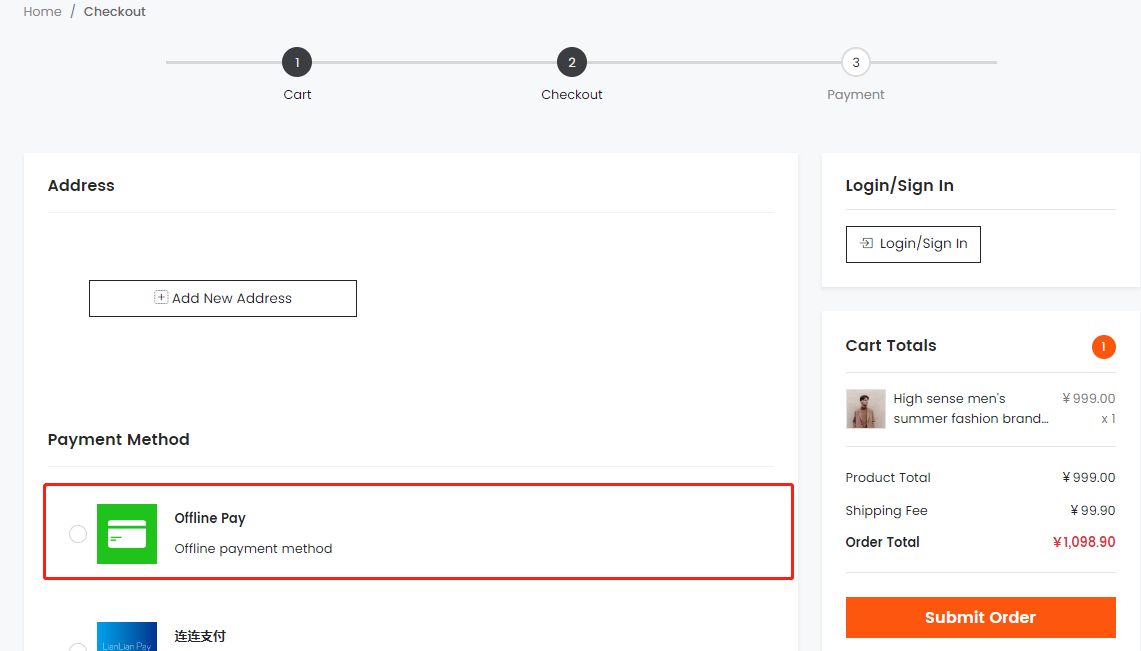
2. Make payment according to the transfer instructions. After successful payment, upload the payment voucher.

The Offline Payment plugin can be used for various offline payment methods such as bank transfers, Alipay QR code transfers, WeChat QR code transfers, etc. Simply set up your receiving account or QR code in the system and provide payment instructions.
Plugin demo: https://plus.beikeshop.com/ Account:demo@demo.com Password:demo
