Point

Downloads:70
Views:3523
Last Update:2026-03-20
$14.56 $18.97
Plugin Version:
v1.2.4
Compatible BeikeShop Version:
v2.0.0, v1.6.0, v1.5.6, v1.5.5, v1.5.4, v1.5.3, v1.5.2, v1.5.1, v1.5.0, v1.4.0, v1.3.8, v1.3.7
Post-Purchase Support:
One-time purchase for lifetime use. Includes 1 month of complimentary technical support.
Plugin Purchase Process
1
Access your BeikeShop admin dashboard
2
Click on "Plugin Marketing" in the top right corner
3
Select the desired plugin for purchase
4
Click on Purchase
Plugin Description

Functional features

  1. Flexible integral configuration rules
    Support setting separate points rules for products, and you can choose as neededCalculate the points in proportion to the priceorFixed integralTwo models are available to meet the points marketing needs of different products.
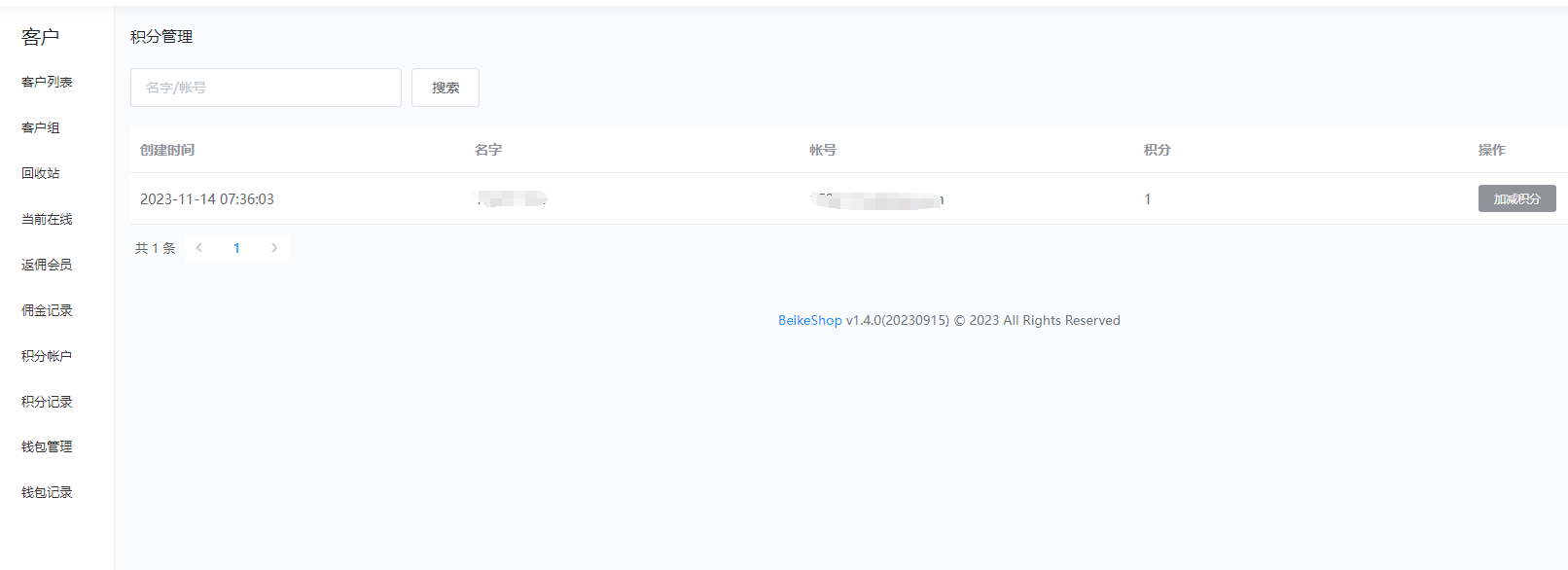
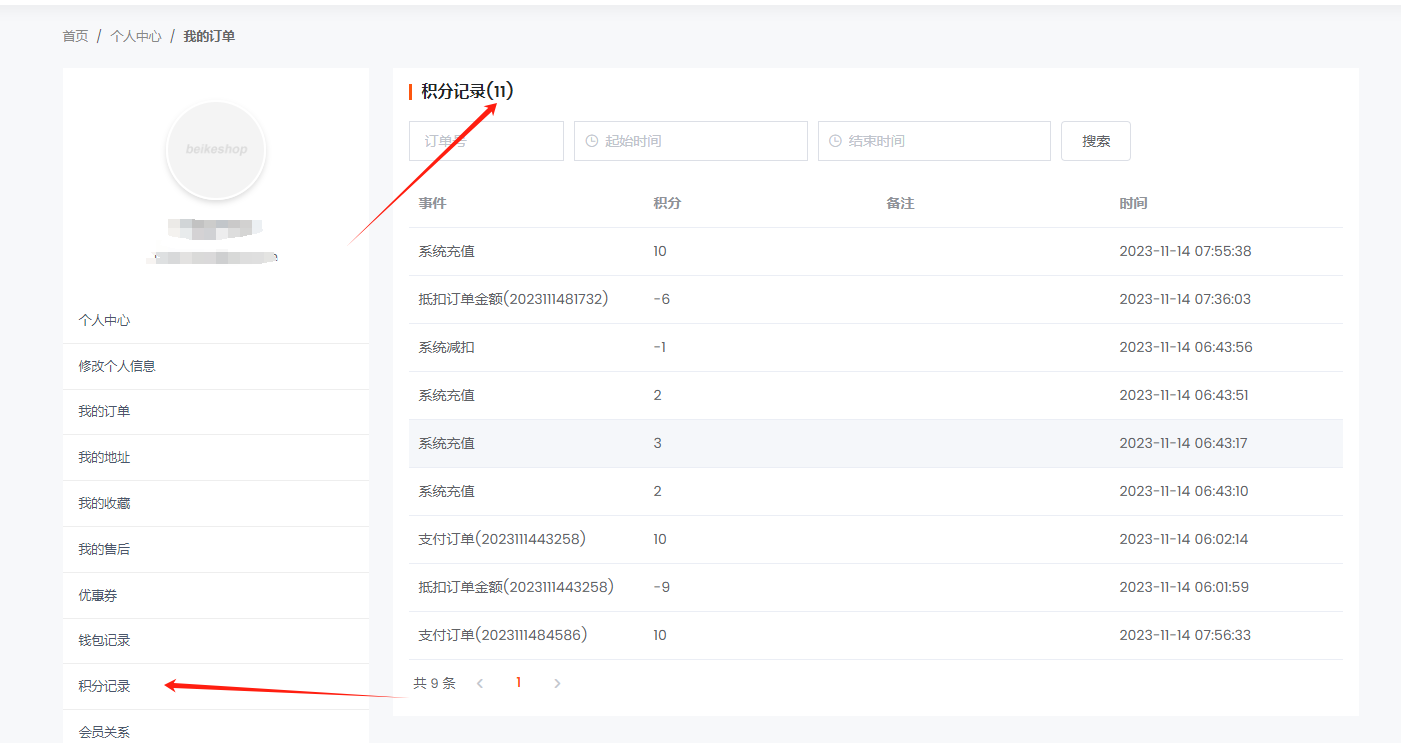
  2. Two-way integral management system
    Administrators can perform operations such as recharging and deducting users\' points in the background. Users can view their points balance and details in real time in their personal center. The points management is clear and transparent.
  3. Customized points deduction function
    Points can be directly deducted from the order settlement amount, and the deduction ratio supports custom configuration. It also supports one-click disabling of the deduction function, flexibly adapting to different operation strategies.
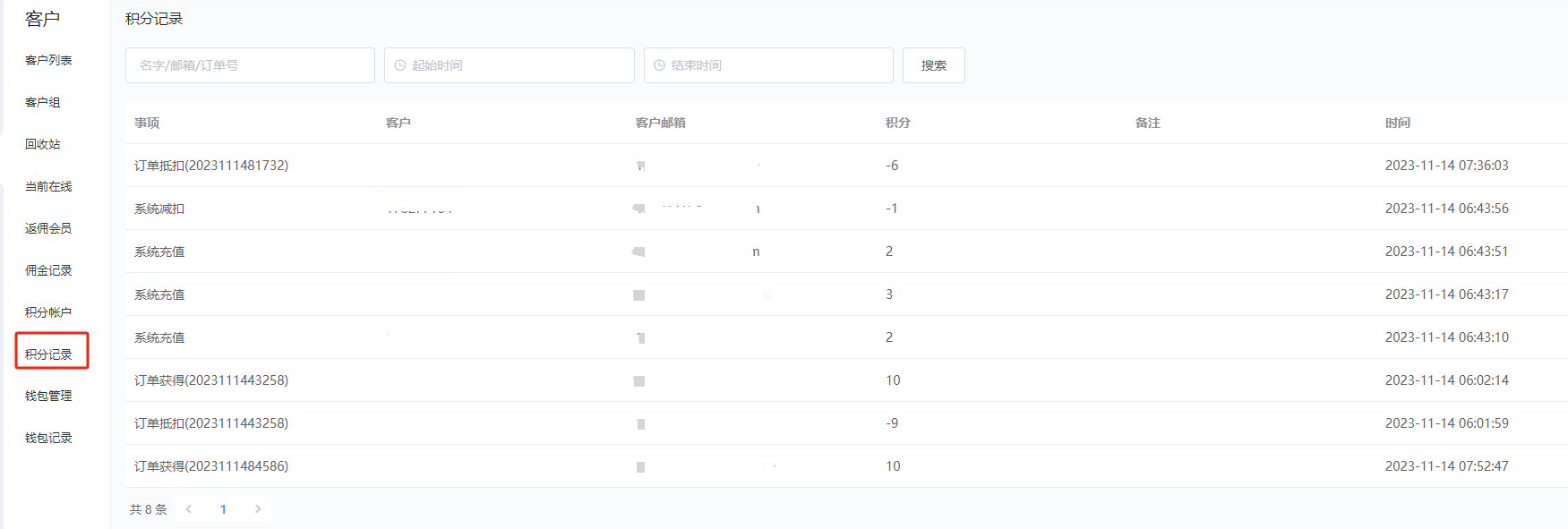
  4. Complete traceability of integral change
    Automatically record every increase or decrease in points, generate detailed points change records, ensure that the points circulation is traceable and verifiable, and avoid data disputes.
  5. The points level is automatically upgraded
    Support the automatic update of the user group based on the user\'s points amount, helping to build a points level system and enhance user stickiness and activity.

Background configuration

Back-end management interface
Product details interface

Front desk settlement interface

Guide users to log in when they are not logged in

Logged in

Order payment successful interface

User Center Points Record
Add a quick access menu to the personal center in the upper right corner. (If it is not displayed, add the corresponding code@hook(\'header.menu.icon.dropdown.menu.order.after\')

Code addition location: (If you don\'t know how to add it, you can ask me for help.

Warning
您正在非法使用 License 专享版
为了避免法律风险,请尽快购买所需授权
购买授权