


Plugin Details
Home / Plug-in market / Telegram Customer Service


Telegram Customer Service
Add a floating Telegram button so visitors can contact your support team in one click.
View more
0 Downloads
30 Views
2026-10-29 Last Update
$4.26
$7.21
One-time purchase for lifetime use, with 1 months of technical support included

Plugin Purchase Process
1
Access your BeikeShop admin dashboard
2
Click on "Plugin Marketing" in the top right corner
3
Select the desired plugin for purchase
4
Click on Purchase
Plugin Description
Telegram Customer Service
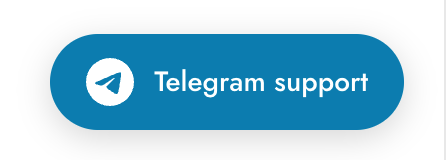
Add a floating Telegram support button to your store and let visitors contact your team in one click.
Give customers who use Telegram a convenient way to reach you while shopping. Whether they have a product question, need delivery information or want after-sales assistance, visitors can click the floating button to open Telegram and contact your support account.
Key Features
- Storewide support access: Display a floating Telegram contact button across storefront pages so visitors can easily find your team.
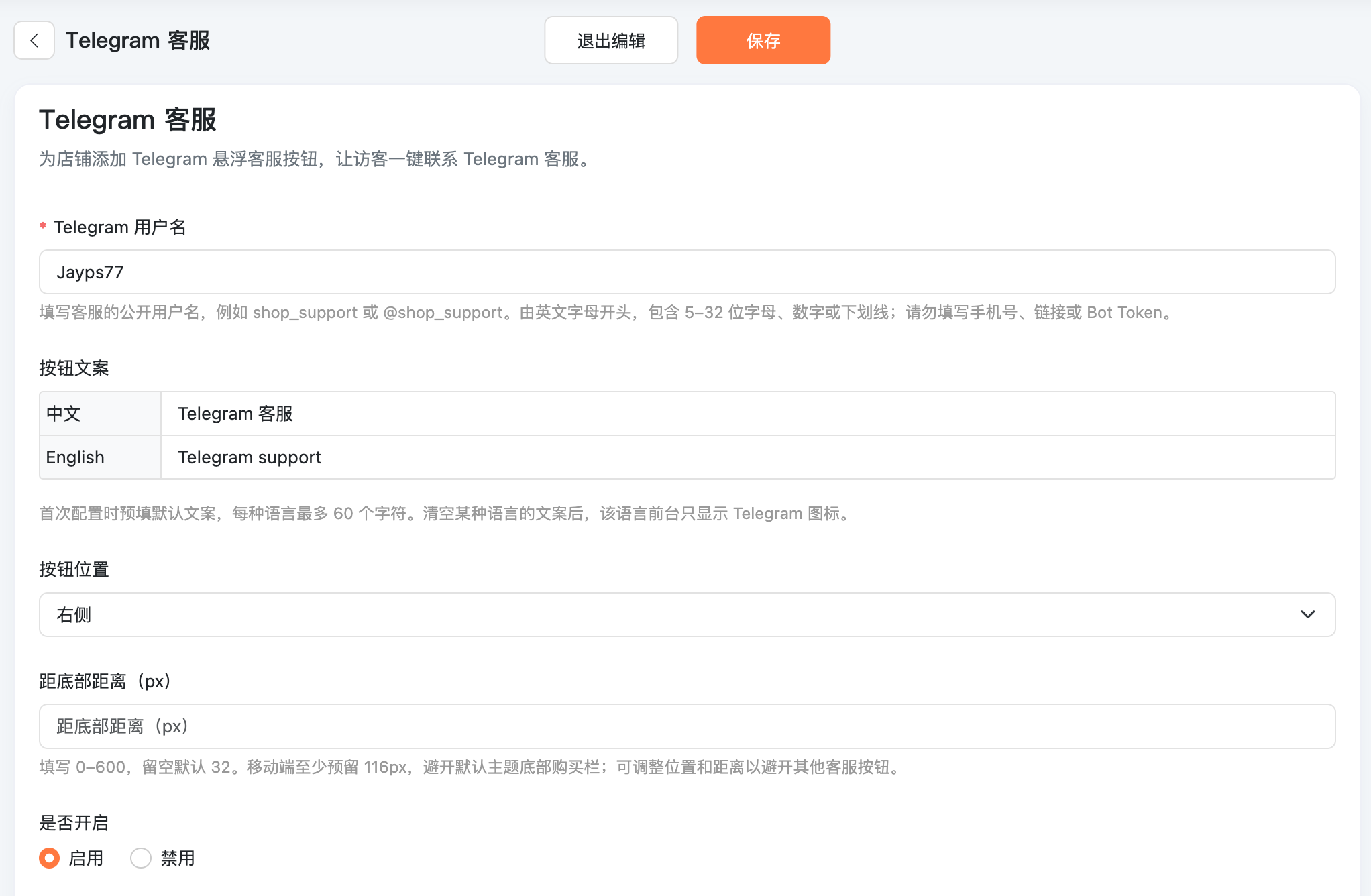
- Multilingual button text: Set a separate label for each store language. The storefront displays the text for the visitor's current language. Default text is prefilled on first setup, with Chinese and English translations included.
- Icon-only mode: Clear and save a language's button text to display only the Telegram icon for that language.
- Flexible placement: Choose the left or right side and adjust the bottom offset to make room for other floating controls.
- Desktop and mobile support: Responsive styling includes space above the default theme's mobile purchase bar.
- Simple setup: Enter your public Telegram username to get started. No API key or Bot Token is required.
- Independent plugin integration: No changes to core system files or additional third-party dependencies are needed.
Ideal For
- Stores offering product advice and purchase assistance through Telegram.
- Merchants who want to direct store inquiries to an existing Telegram support account.
- Multilingual stores that need localized support button labels.
Getting Started
- Install the plugin and open Telegram Customer Service in your admin plugin settings.
- Enter your public Telegram support username, such as
shop_supportor@shop_support. - Customize the text for each language, or clear a language's text to use icon-only mode.
- Choose the button position, adjust the bottom offset, enable the plugin and save.
Visitors can then click the support button in your store to contact you through Telegram.
Available Settings
| Setting | Description |
|---|---|
| Telegram username | Public username, with or without @ |
| Button text | Separate text for each language, up to 60 characters each; leave blank for icon-only mode |
| Button position | Left or right side |
| Bottom offset | 0–600px, with a default of 32px; at least 116px is reserved on mobile |
| Status | Enable or disable the support button at any time |
Usage and Compatibility
- Use a valid public Telegram username for an account customers can contact. Do not enter a phone number, full URL or Bot Token.
- Clicking the button opens a Telegram contact link in a new tab. Conversations are handled by Telegram. Embedded store chat, message synchronization and automated bot replies are not included.
- Designed for the BeikeShop default theme. Custom themes must retain the
layout.master.footer.afterhook. The default theme's iframe and app-embedded pages do not display the button. - The button stays hidden if the username is missing or its format is invalid.
Plugin name: Telegram Customer Service
Plugin code: gd_telegram
Category: Customer Service
