Plugin Details
Home / Plug-in market / AB站支付-B端


AB站支付-B端
AB站支付-B端: PayPal relay for the B-site. Receives orders from the A-site, maps them to B-site products (with a dedicated price-difference product), hosts an embeddable PayPal checkout, and syncs the payment result back. Works with AB站支付-A端.
View more
0 Downloads
32 Views
2026-10-27 Last Update
$14.70
$19.12
One-time purchase for lifetime use, with 1 months of technical support included

Plugin Purchase Process
1
Access your BeikeShop admin dashboard
2
Click on "Plugin Marketing" in the top right corner
3
Select the desired plugin for purchase
4
Click on Purchase
Plugin Description
AB Station Payment - B-End - BkPaypalRelay
It is used in conjunction with AB Station Payment -A End (BkPaypalProxy).
A side links: [https://beikeshop.com/plugin/bk_paypal_proxy] (https://beikeshop.com/plugin/bk_paypal_proxy)
Installed after this project (B Station) :
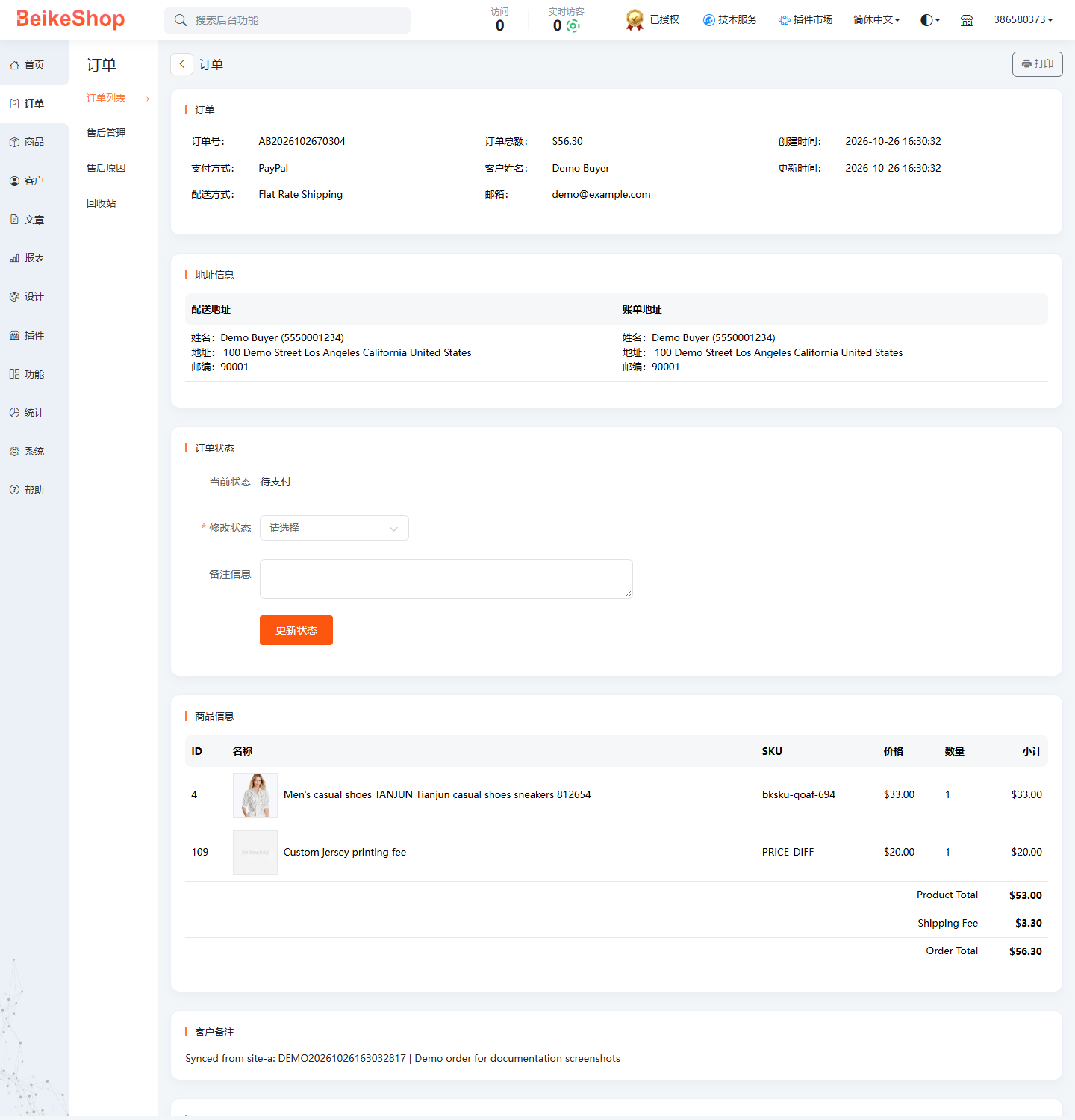
- Receive orders pushed by Station A, automatically create mirror orders, and they will appear in the order list of Station B.
- ** Fully automatic product allocation ** : Match Bilibili products by SKU → model → standardized product name, ** No need to fill in any mapping table **;
- Unmatched items will be automatically classified under the dedicated "Price Difference Make-up" items, and the shipping fees, taxes, and discounts will be made up to ensure that the total order amount on Bilibili is consistent with that on A.
- Provide A **PayPal checkout counter ** that can be embedded in A Station's iframe (independent page, responsive, automatic height reporting);
- After A successful payment, the order on Bilibili will automatically become paid and the status will be sent back to A Station through a signature callback. The polling at Station A will also proactively reconcile accounts.
Installation
- Place the 'BkPaypalRelay' directory in 'plugins/' (or upload a zip file in the background).
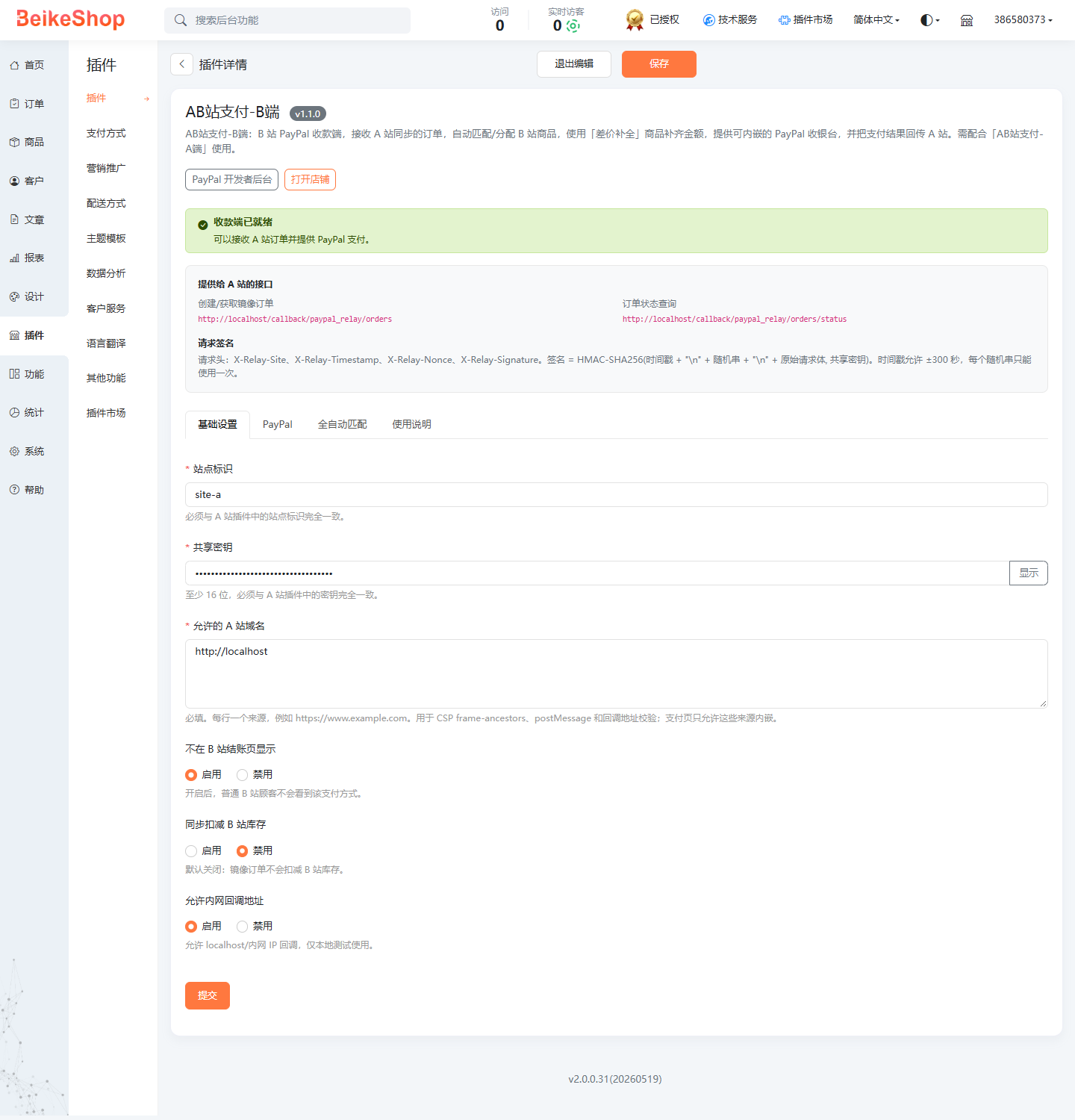
- Backend → Plugin → Payment Method → Find **AB Station Payment - B-end ** → Install → Edit Configuration.
- Fill in
- ** Site Identifier ** / ** Shared key ** : Exactly the same as the A Station plugin.
- ** Allowed A site domain name ** (required) : for example, 'https://www.a-site.com', used for CSP, postMessage and callback verification; When not filled in, the payment page can only be embedded within Bilibili itself.
- PayPal Environment/Client ID/Secret : You can fill it in directly or enable "Reuse Official PayPal Plugin Credentials". After saving, the plugin will automatically create a hidden PRICE-DIFF item (SKU 'price-diff'), which can be enabled in the plugin list. There are no fields such as product mapping or price difference product names that need to be filled in by hand. **
It is recommended to keep the "price difference make-up" products off the shelves or hidden in the Bilibili backend. The plugin directly references it through the order details, without the need to display the inventory on the store front desk.